Features Product Pricing FAQ Contact
AI Features

Bring AI into every consult

EMR Assistance

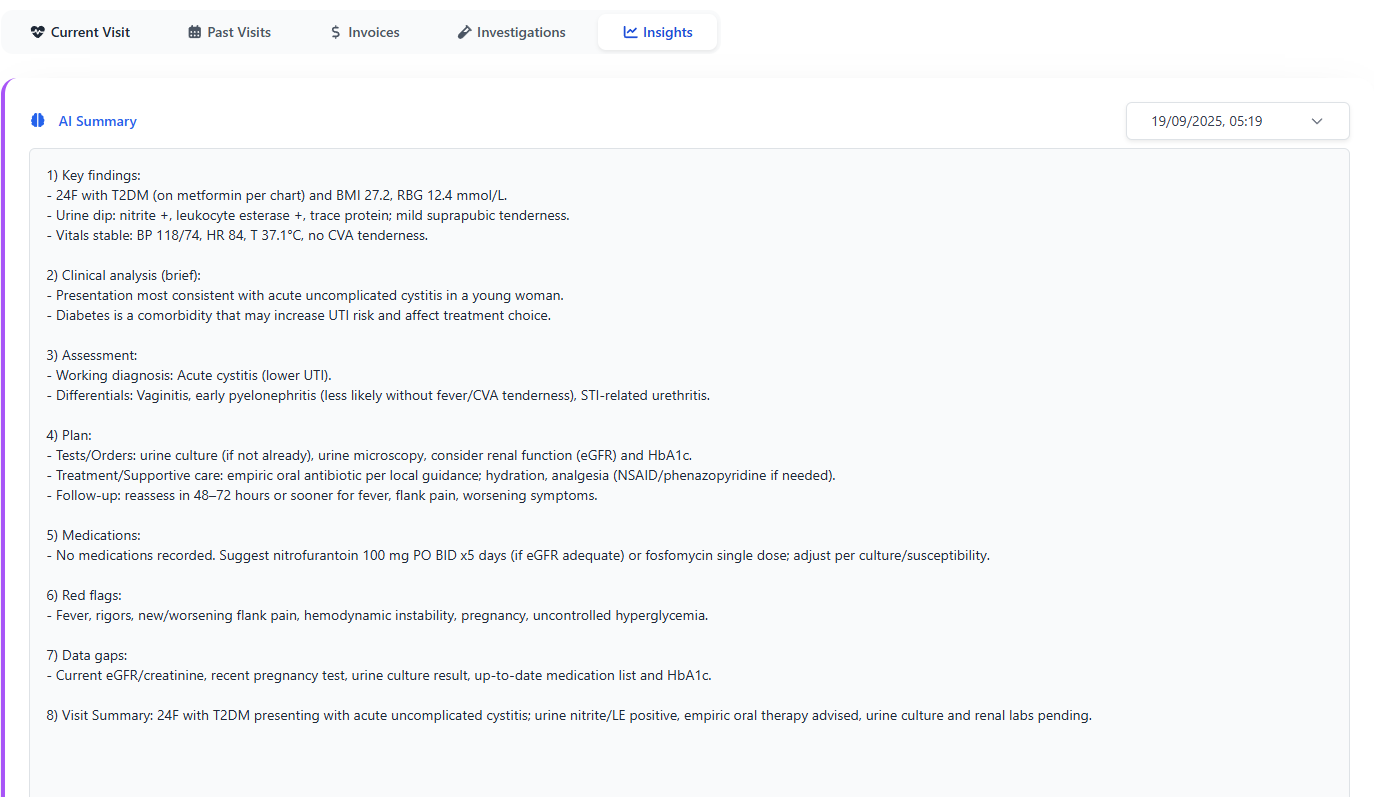
Relify AI reviews your notes and surfaces key points, giving doctors a draft summary within seconds. It's perfect for busy clinics that need clarity fast.

  • Summaries highlight presenting complaints, history, and clinical observations.
  • Suggested diagnoses appear alongside your own assessment for easy comparison.
  • Clinicians always confirm the final wording before saving to the patient record.
AI EMR assistance illustration

Smart Suggestions in Workflow

Optional helpers keep your consultations flowing smoothly. Enable them when you want support, or ignore them when you already know the path.

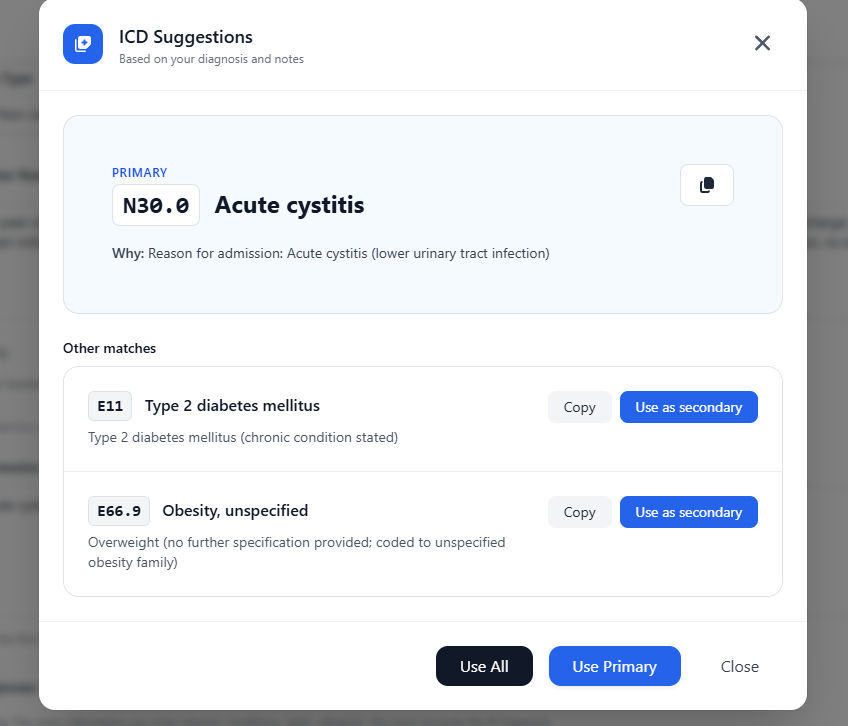
  • Auto-suggest ICD codes based on the visit context to speed up medical coding.
  • Note prompts help structure SOAP notes, discharge summaries, and follow-up plans.
  • Switch suggestions on or off per user—Relify remembers each clinician's preference.
AI workflow illustration

Safety & Oversight

AI is a co-pilot, not a replacement. Relify keeps clinicians in charge by requiring human approval before anything becomes part of the patient chart.

  • Review every suggestion and edit wording before finalising a visit.
  • Undo or discard AI input instantly—your original notes stay intact.
  • Audit trails capture who accepted AI recommendations for full accountability.
AI Suggested Summary - Dr. Chen Editing EDITING Acute febrile illness, most consistent with a viral upper respiratory infection in a patient with type 2 diabetes mellitus and hypertension; haemodynamically stable, no localising source or red-flag features on exam, with dengue kept in the differential given local epidemiology. red-flag features Suggested edit: "warning signs" Dr. Chen 💾 Save Edit AI Assist Discard OVERSIGHT ON Version 2 • Last edited 30 seconds ago • Auto-saved

Tips for Best Results

Simple habits boost accuracy. Help the assistant understand your style so it produces meaningful guidance every time.

  • Write clear, structured notes—AI thrives on consistent headings and bullet points.
  • Refresh suggestions after updating vitals or medications to capture the latest context.
  • Give each summary a quick review before saving, ensuring it reflects your final judgement.
Best Practices for AI Accuracy Clear Structure • Chief Complaint • History of Present Illness • Assessment & Plan Refresh Context Update vitals → Refresh AI New symptoms → Re-analyze Latest context = Better results Always Review ✓ Check accuracy ✓ Edit as needed ✓ Approve final version AI Assistant OPTIMAL
Full resolution image