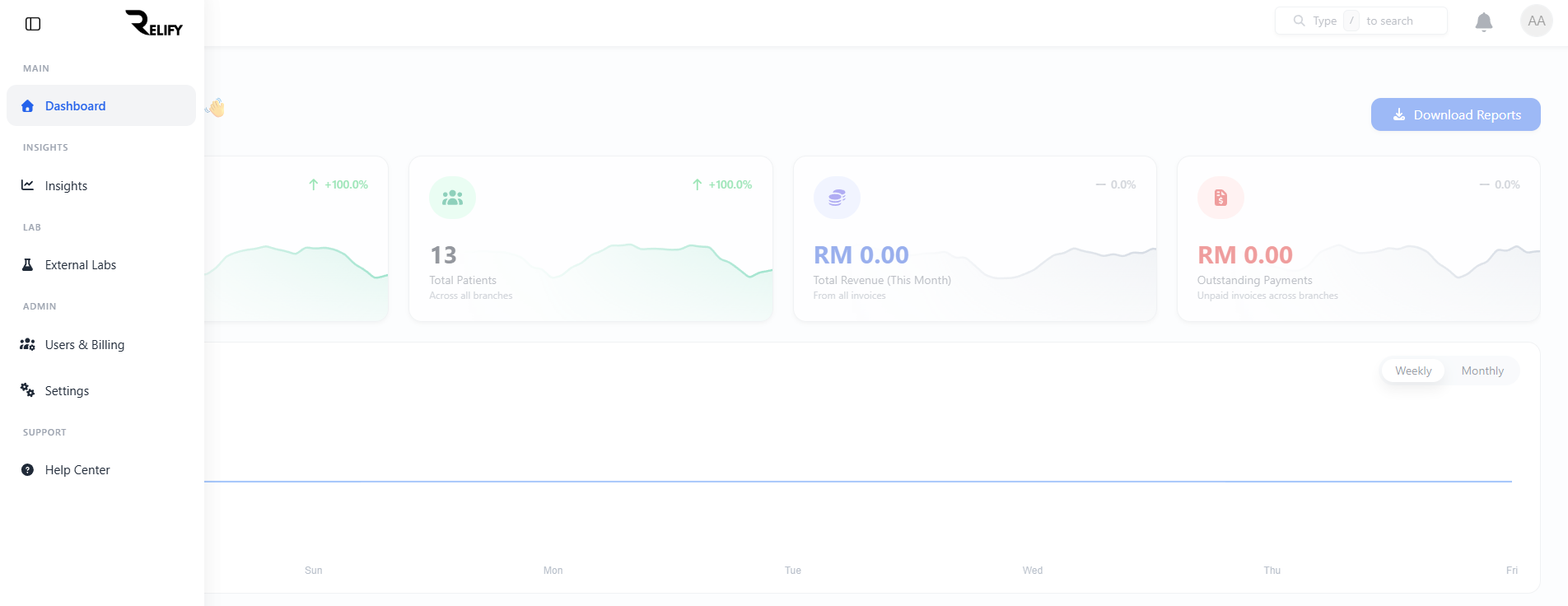
Access Billing Management
Start by navigating to the billing section from your dashboard sidebar. This is where you'll manage subscriptions, add new branches, and oversee team administrator accounts.
- Log into your main Relify dashboard
- Locate the sidebar navigation menu on the left
- Click on "Billing" or "Subscription Management"
- Review your current subscription status and options
- Check current branch and user allocations
Access Level
Only main account administrators can access billing management. Branch admins have limited billing visibility for their specific branch.
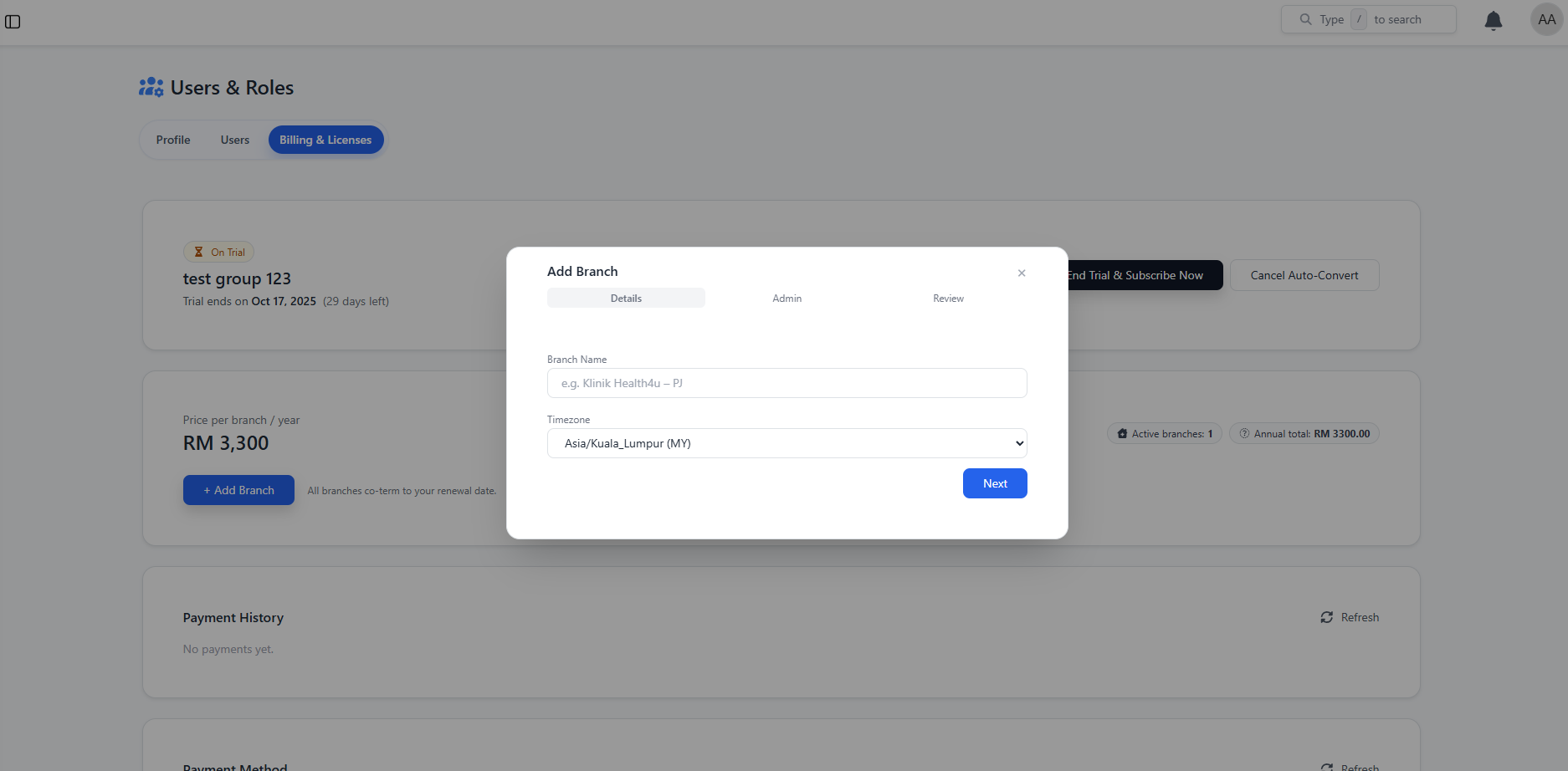
Create Branch Administrator
Set up a new branch with a 1-month free trial credit. Create the branch admin account and configure the initial setup for your new location or team lead.
- Click "Add New Branch" or "Create Branch Admin"
- Enter the branch name and location details
- Create the admin username and contact email
- System generates a secure temporary password
- 1-month trial credit is automatically applied
- Login credentials are emailed to the branch admin
Trial Benefits
New branches receive a full 1-month trial with all features included. No payment required until trial ends or additional branches are added.
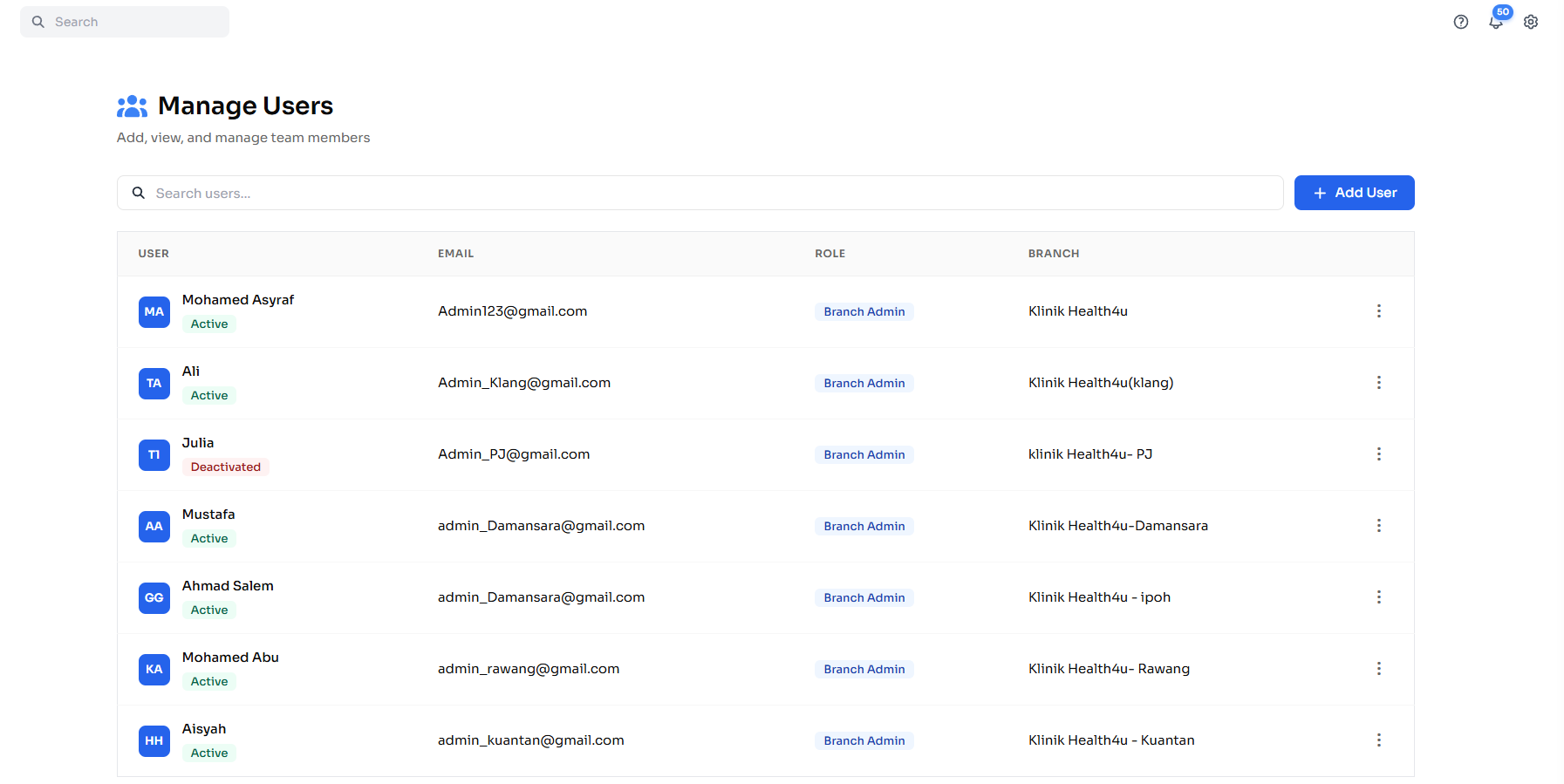
Manage Users
After creating a branch admin, navigate to the Manage Users page to view and oversee all accounts under your clinic group.
- Go to Manage Users from the sidebar
- Super admins can view all branch admin accounts here
- Branch admins can create and manage staff for their branch
- Assign roles such as doctor, nurse, pharmacist, or receptionist
- Deactivate or reset credentials for any user
Role Scope
Super admins only manage branch-level admins here. Staff account creation is handled by branch admins within their own branch.
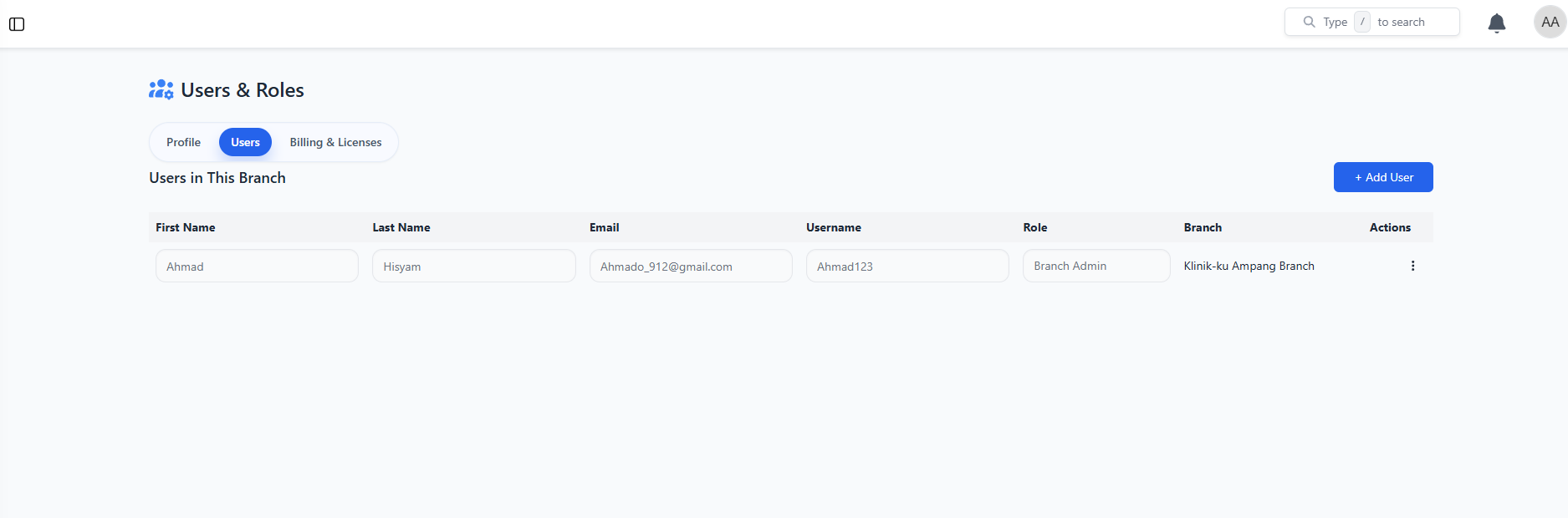
Account Ready & Billing Terms
Your branch admin account is successfully created. Review the billing terms and understand how subscription scaling works when adding multiple branches.
- Branch admin can now log in with provided credentials
- 1-month trial period active with full feature access
- Adding a second branch cancels trial and requires payment
- Prorated billing calculated from trial end date
- Annual subscription: RM 2,500 per branch per year
- Auto-renewal available for seamless continuation
Billing Logic
When adding multiple branches, the trial ends immediately and you'll be charged prorated amounts for the remaining year. Auto-renewal ensures uninterrupted service.
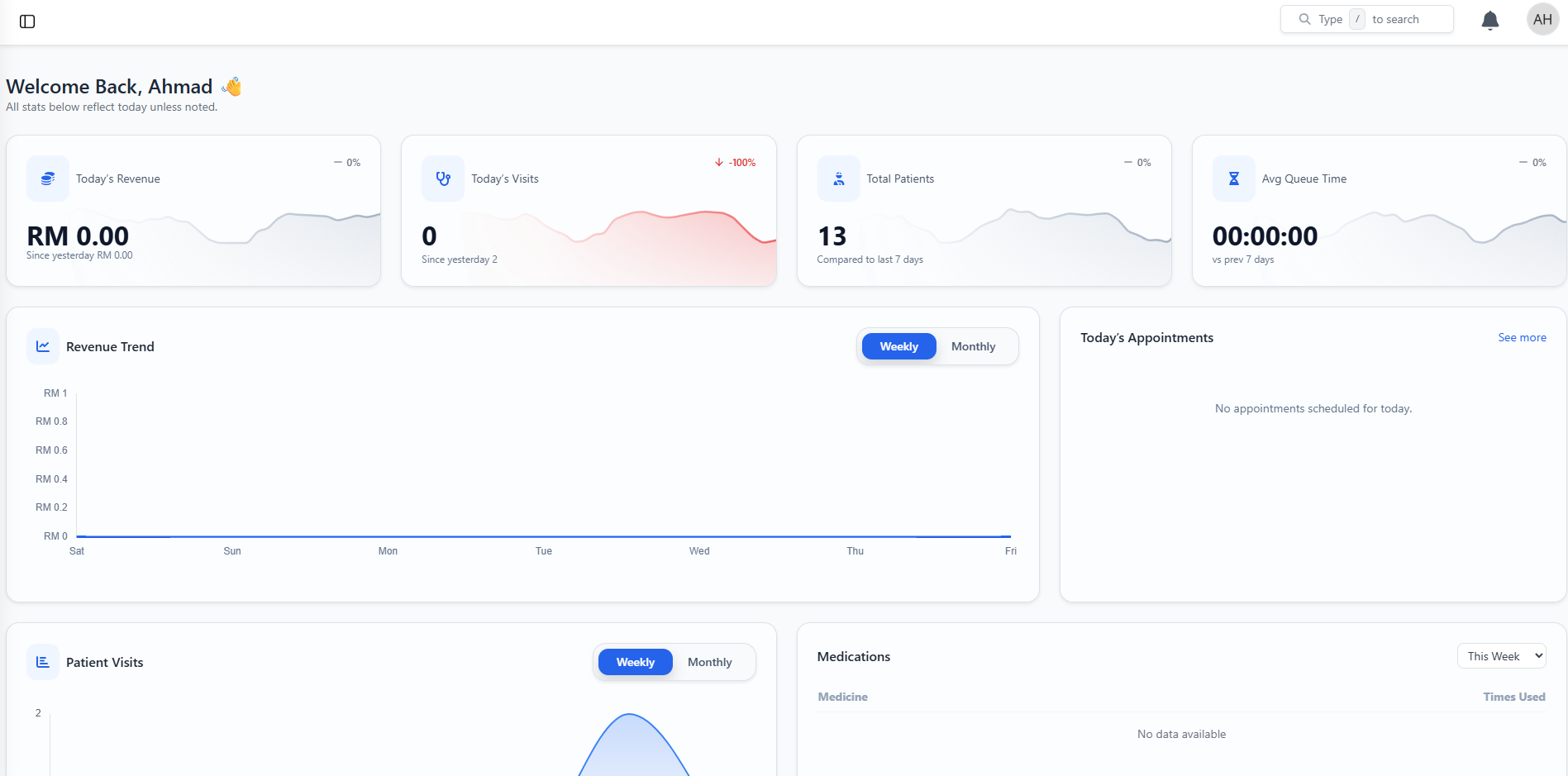
Branch Admin Dashboard
The newly created branch admin now has access to their dedicated dashboard with full clinic management capabilities for their specific location or team.
- Complete branch-specific dashboard access
- Independent patient and appointment management
- Branch-level reporting and analytics
- Team member management for their location
- Separate billing visibility and usage tracking
- Full EMR, scheduling, and AI feature access
Admin Privileges
Branch admins have full control over their location while main account holders maintain oversight and billing management across all branches.