01
Open the right link
Use a private patient link for easy rebooking, or one public link for new patients.
relify.com/luma/bookPublic clinic group appointment link
Give every patient a private booking link, or share one public link for the entire clinic group. Patients choose a branch, service, date and time, then pay directly through the clinic’s own payment gateway.
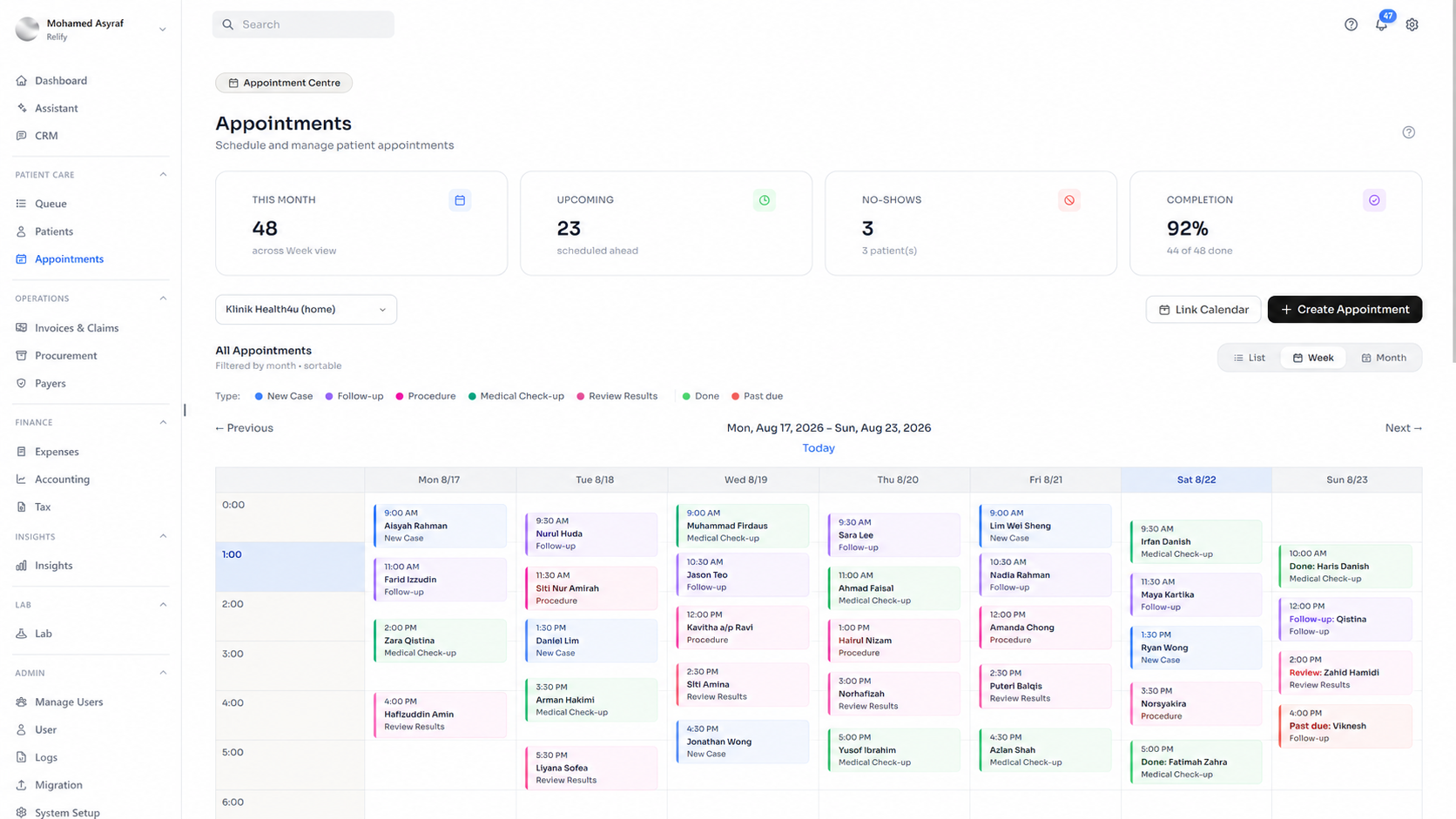
Patients can move from finding the clinic to a confirmed, paid appointment in one guided flow. Your team sees the booking immediately inside Relify.
Use a private patient link for easy rebooking, or one public link for new patients.
Patients select their preferred branch and the service they need before viewing available times.
Take a deposit or full payment through the clinic’s connected gateway during booking.
Relify creates the appointment, alerts the clinic and schedules patient reminders automatically.
Give the entire clinic group one appointment URL. Patients choose a location, service and time, while Relify keeps availability and records attached to the correct branch.
Every patient can have a private appointment link connected to their clinic record. Returning patients can book again without searching for the clinic or repeating the whole journey.
The clinic enters its supported payment gateway credentials inside Relify. Deposits or full payments are then collected during booking and routed through the clinic’s own gateway account.
The patient and clinic stay informed without staff manually copying details, creating records or remembering every reminder.
Front desk and branch teams can see the new appointment as soon as the patient completes the booking.
The selected branch, service, time, payment status and patient details are recorded automatically in Relify.
Send confirmation and reminder messages before the visit, with the clinic details and appointment time included.
Every part of the flow is designed to reduce front-desk work while keeping patients, payments, branches and appointment records aligned.
Use the right entry point for every situation: one clinic-group URL, a dedicated branch URL, or a private link tied to an existing patient.
Only show times the selected branch and service can actually accept.
Control duration, pricing, online availability and payment requirements by service.
See the booking and its payment state together, without separate reconciliation notes.
Add more branches, services and booking links without rebuilding the patient experience.
What to know about booking links, live availability, online payments and the connected appointment flow.
Talk to our teamClinics can publish booking links, let patients choose a branch, service, date and available time, collect online payment where required, and have the confirmed appointment recorded directly in Relify.
A public clinic-group link lets patients begin from the wider clinic network, a branch link takes them directly to one location, and a private link can be tied to an existing patient for a more specific booking journey.
Yes. The booking flow is designed to show time slots that the selected branch and service can actually accept, rather than presenting a disconnected list of times.
Yes. Clinics can control service duration, pricing, online availability and payment requirements by service so the patient sees the right booking flow for the appointment they choose.
Yes. Where payment is required, it can be part of the online booking flow, and Relify keeps the appointment and its payment status connected instead of relying on separate reconciliation notes.
The clinic can be notified, and the appointment record is created with the selected branch, service, time, payment status and patient details so staff do not need to re-enter the booking manually.
Yes. The appointment flow supports confirmation and reminder messages before the visit, including the clinic details and appointment time.
Visit the pricing page to review current plan options, or contact Relify to arrange a demo and discuss your clinic’s appointment workflow.

One month free. No credit card required. Free migration help.