
Keep every patient moving, in real time.
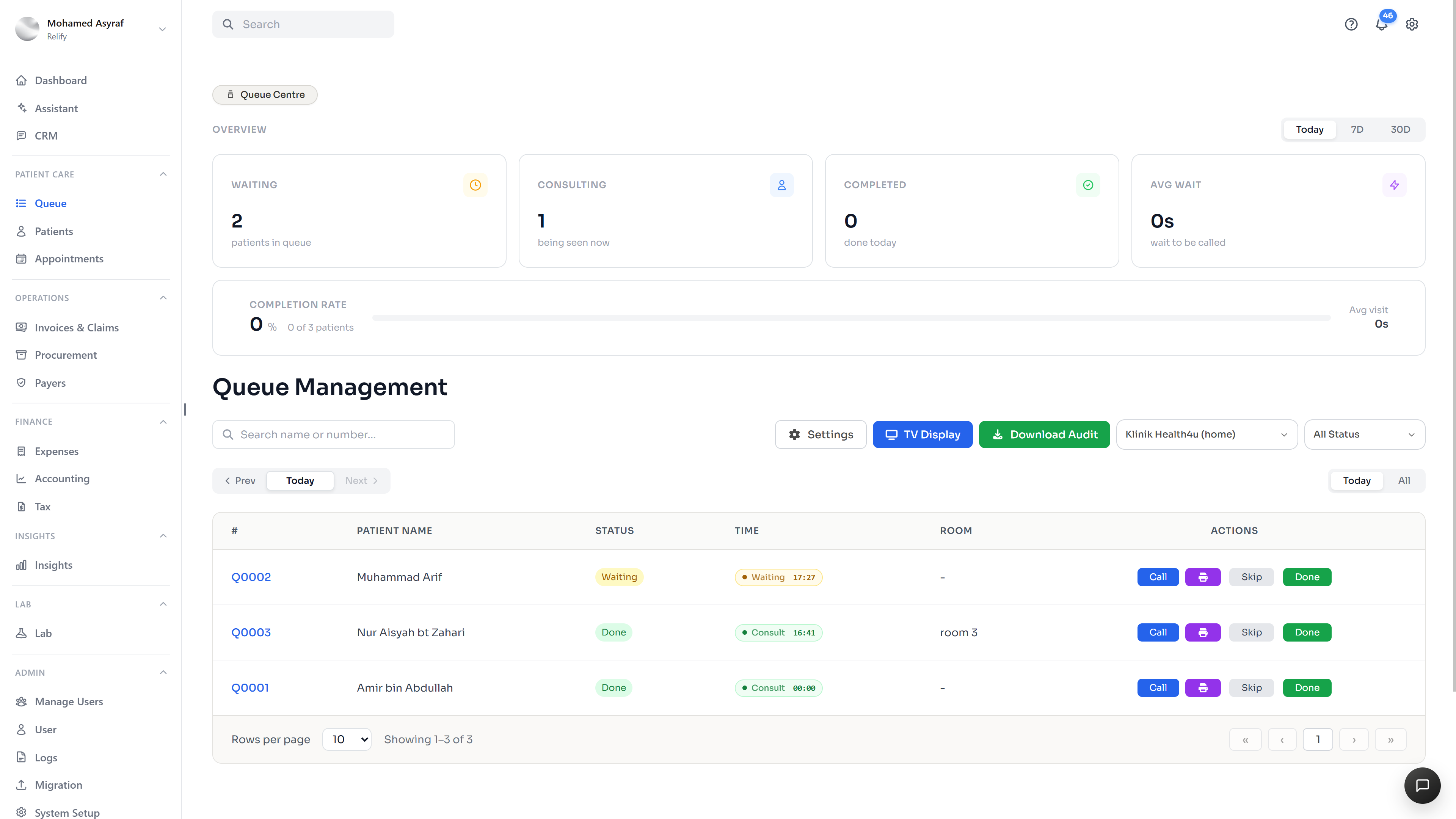
Add patients to the queue, print a ticket with a QR code, let them track progress from their phone, and run a free TV display that can also showcase your clinic’s promotions.
The wait feels longer when nobody knows what comes next.
A busy queue becomes harder to manage when the front desk, patients and doctors are all working from different views of what is happening.
How the queue works

Scan this QR code to see your live queue position and progress.
Choose the doctor, room or queue type and keep the patient linked to their appointment or walk-in visit.
The patient receives a clear queue number and can scan once to open their live tracking page.
Update the queue from waiting to called, consulting and completed while every connected display updates with it.
What staff controls, patients see, and the clinic displays.
One operational view for moving patients through the clinic.
A simple live status page opened from the printed ticket.
A free waiting-room screen that is useful between queue calls.
The waiting-room screen can do more than call numbers.
Show the live queue clearly, then use the same screen to promote clinic services, packages, health campaigns or announcements without paying for a separate display product.
A clearer picture
of your queue.
What to know about live patient flow, QR tickets and the connected waiting-room display.
Talk to our team01What can I manage within Relify Queue Management?
Staff can add walk-ins or appointments, assign a doctor or room, prioritise and reorder patients, call the next patient, and move each visit through waiting, called, consulting and completed states.
02How do the printed queue tickets and QR codes work?
Each printed ticket shows the patient’s queue number and a QR code. Scanning it opens the patient’s live queue tracking page so they can follow progress from their phone.
03What can patients see on the live queue tracker?
The tracker can show the patient’s ticket number, current status, how many patients are ahead, the assigned doctor and the latest queue update.
04Can staff prioritise or reorder patients when the queue changes?
Yes. Staff can prioritise and reorder the queue from the operational view, then continue calling and advancing patients as the clinic flow changes.
05Does the waiting-room TV stay connected to the live queue?
Yes. The TV view is connected to the staff queue, so now-serving and next-up numbers can reflect the same live patient flow used at reception.
06Can the TV display clinic promotions and announcements?
Yes. The display can show clinic promotions, services, packages, health campaigns or announcements alongside the live queue information.
07Is the TV queue display included with Relify?
Yes. The queue page presents the TV display as included with Relify, so clinics can open it on a connected TV or browser without a separate display subscription.
08How do I check pricing or arrange a demo?
Visit the pricing page to review current plan options, or contact Relify to arrange a demo and discuss your clinic’s queue workflow.
Make the queue clear for staff, patients and the waiting room.
See how Relify connects check-in, queue tickets, patient tracking and the TV display in one operational flow.