Finish every visit. Understand every part of the clinic.
Create MCs, referrals, visit summaries, lab and screening reports and custom documents, then turn data from every Relify module into reports you can filter by date and export.
Medical certificateLab reportReferral letterHealth screening report
Auto-filled
Patient
Date
Visit
PDF ready
Lab draft savedSaved to Files
Documents built into care
Start with the record. Finish with a document that’s ready to use.
Templates, editing, lab reporting and patient files in one workflow, so staff stop copying information between forms and folders.
01Choose templateClinic-approved formats for common documents.
02Pull visit detailsPatient and consultation information fills in.
03Edit & reviewChange any field and preview before issue.
04Save or generate PDFKeep a draft, or issue the final document.
05Keep in Patient FilesStored with the date and source visit.
Medical certificateReferralVisit summary
Patient
Siti Nur Aina · 28 · F
Diagnosis
Acute upper respiratory tract infection
Advice
DraftPreviewPDF
Templates that stay editable
Generate fast, then edit before anything becomes final.
Use saved clinic templates while keeping every field editable. Save a draft, come back later, preview, and generate the PDF only when it’s ready.
Reuse clinic-approved templatesConsistent wording, branding and structure, without locking staff into one form.
Edit every document before issuePatient details, findings, advice or free text.
Draft, preview and generateSave unfinished work safely and issue the PDF when complete.
Laboratory & screening
Build lab reports and screening results with the same workflow.
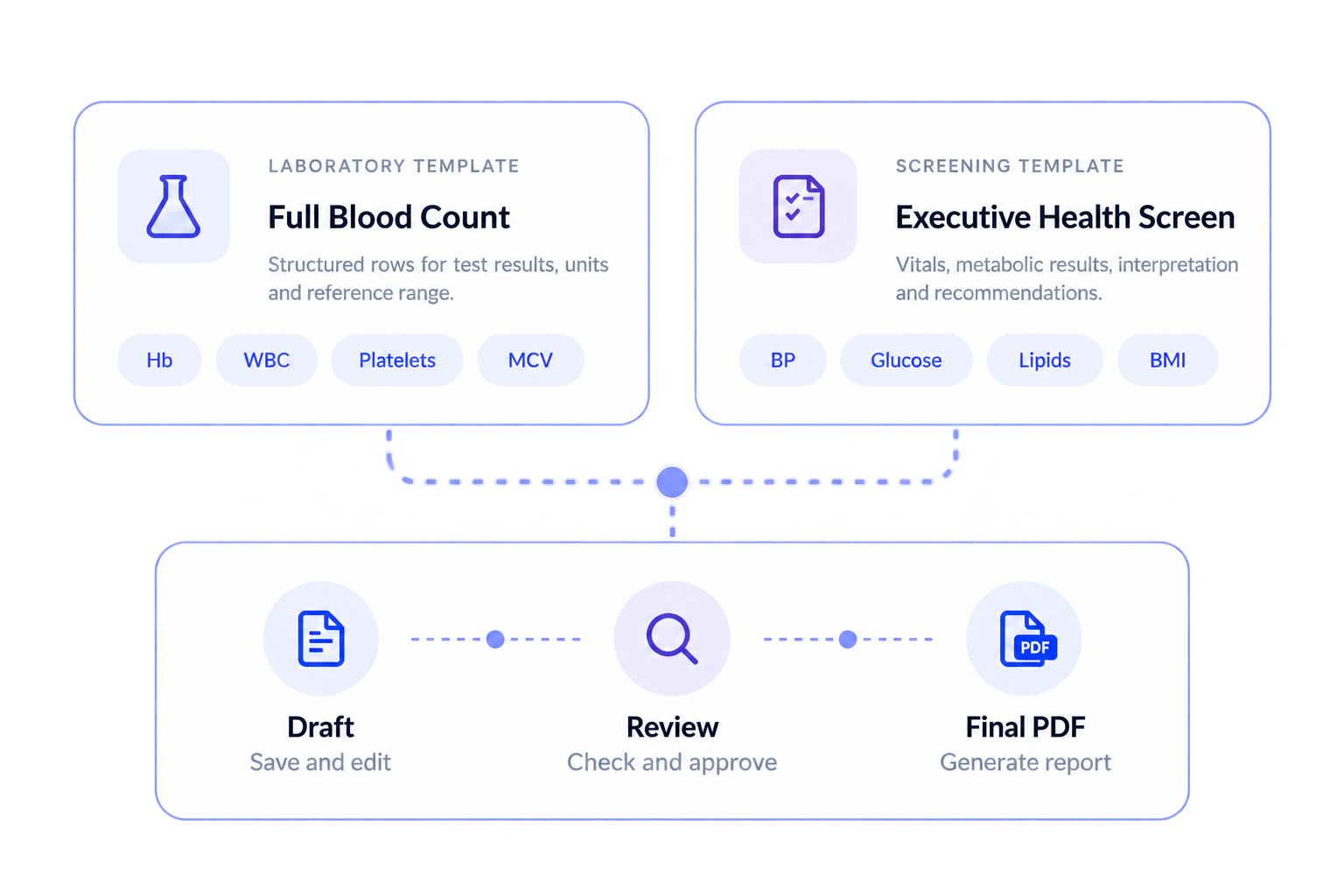
Report templates for investigations and health screenings: enter results, add findings and impressions, save drafts and issue a polished report linked to the patient.
Reusable lab report templatesSet up common panels once, reuse them for every patient.
Health screening reportsVitals, results, findings, recommendations and follow-up in one report.
Edit and save before releaseKeep drafts while results are pending, then generate the PDF.
One document system
More than MCs and referrals.
Everyday clinical paperwork, laboratory outputs and patient-facing reports together, instead of scattered across separate tools.
Everything the consultation needs to produce
Generate, edit and issue what patients, employers and other providers need, directly from the visit.
Medical certificatesVisit summariesReferral lettersRefusal formsE-prescriptionsCustom forms
Results and investigation reports stay clinical
Structured lab, screening and investigation outputs with findings, impressions and follow-up linked to the patient.
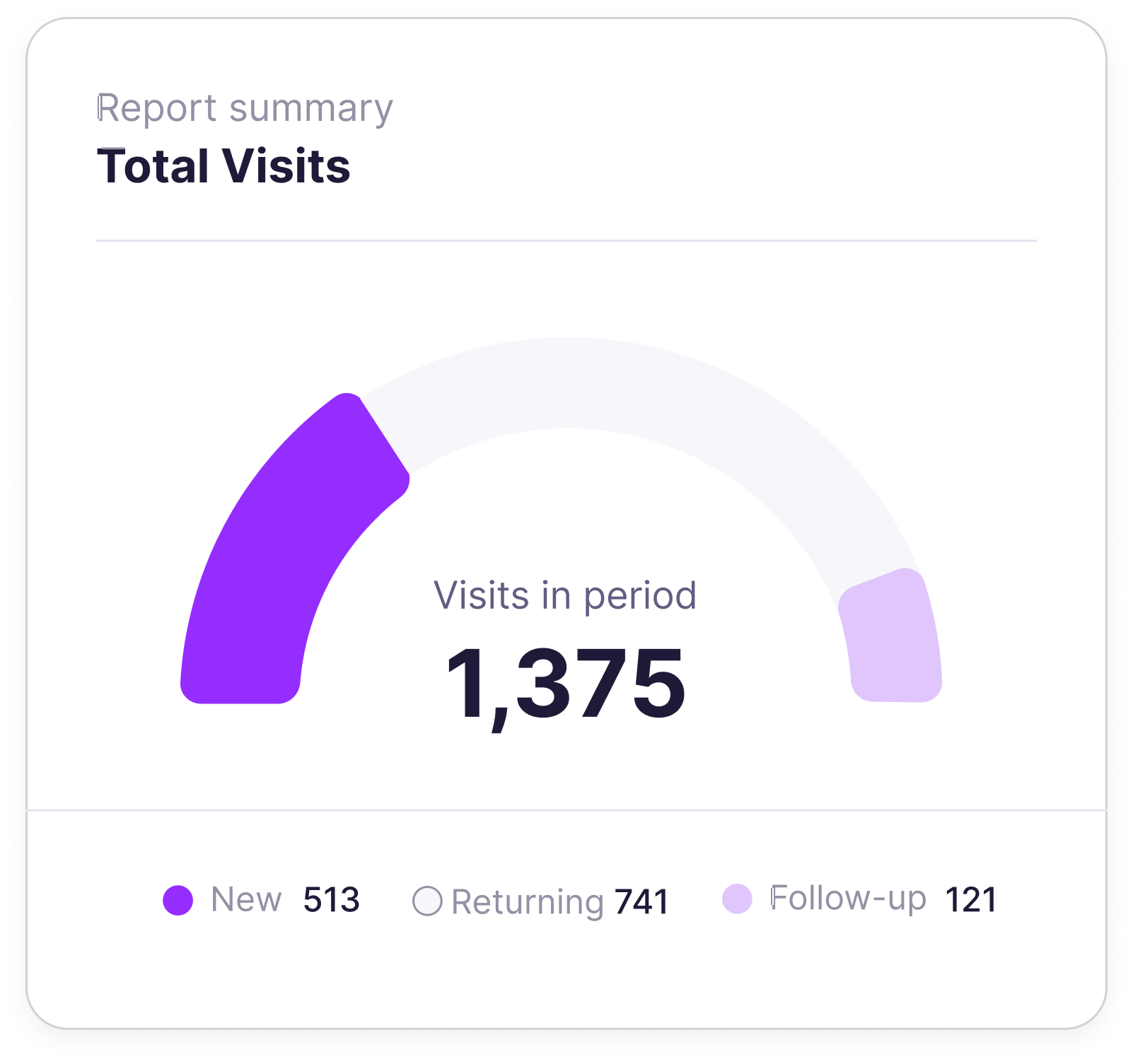
Visits & clinical activityConsultation activity and the clinical workload recorded across the period.
Lab & investigationsInvestigation activity, reporting volume and work completed in the period.
Total visits+12.4%
1,284
Avg. wait14 min
No-shows3.1%
Doctor incentivesIncentive results alongside the doctor activity that contributes to them.
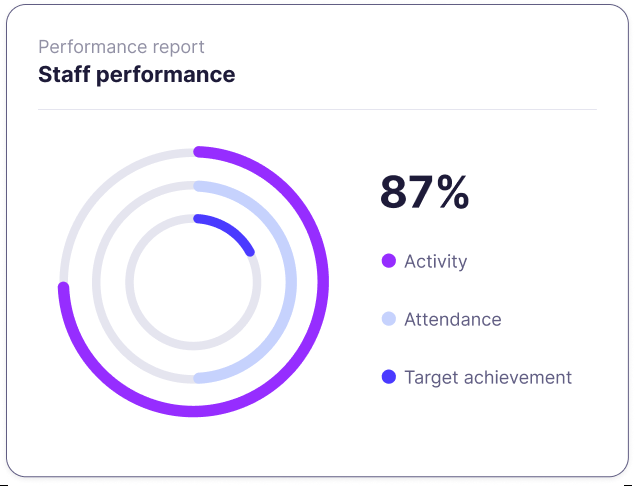
Employee performanceOperational activity by employee and period for clearer performance conversations.
Consultations by doctorThis month
642
Doctors8
Staff active14
Dispensing & medicationWhat was dispensed and how pharmacy activity changed over time.
Inventory & movementStock activity, usage and movement with the dates you need.
Suppliers & purchasingCompare suppliers, order activity and what the clinic has been paying.
Items dispensed+8.2%
3,917
Low stock6 items
Open POs3
Billing & paymentsInvoices, payments and revenue without separating finance from operations.
Claims & receivablesPayer and claim activity for the period, including what needs attention.
Expenses & accountingOperational spending and financial reporting in one management view.
Branch & HQ reportsCompare branches and give HQ one reporting layer over the group.
Revenue+6.9%
RM 284k
Claims pendingRM 18.2k
Branches4
Doctors & employees
Performance reports tied back to actual work.
Doctor incentives and employee performance across the date range that matters: not another scorecard, but a clearer view of activity for reviews and staffing decisions.
Doctor incentive reportingThe result together with the underlying activity for each doctor and period.
Employee performanceCompare staff activity over the same range, not across separate modules.
Branch and HQ visibilityThe same reporting layer locally or across the group, within each user’s access.
Inventory & suppliers
Use purchasing history to make the next purchasing decision.
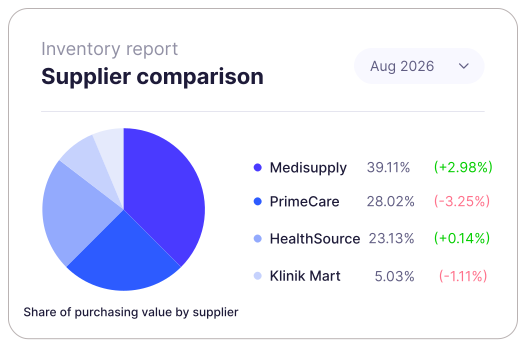
What are we buying, how much are we using, who from, and how do suppliers compare over the period we care about?
01
Supplier comparisonUsing purchasing history and item-level procurement data.
02
Usage and movementConnect what was bought with what moved through stock.
03
Export the evidenceInto a purchasing meeting without rebuilding the comparison.
Files during the visit
Upload supporting material without leaving the consultation.
Attach external lab reports, scans, images and letters while the clinical context is clear. Generated and uploaded files then sit in one patient-level library.
Upload at the point of careExternal evidence stays connected to the visit that introduced it.
Find it again from Patient FilesClear dates, file types and source visits.
Patient-level file library
Every finished report stays easy to find.
Generated documents, lab reports, screening outputs and uploaded files live together, with their date and clinical source still visible.
Patient files4 files
Executive Health Screening Report28 Aug 2026 · Generated PDF · Visit #3184
Screening
Full Blood Count28 Aug 2026 · Laboratory report
Lab
Referral Letter — Cardiology17 Aug 2026 · Generated PDF · Visit #3062
Referral
External Imaging Report11 Aug 2026 · Uploaded PDF
Upload
Template-basedReusable clinic formats.
EditableReview everything before finalising.
Any date, every moduleReports for the period that matches the decision.
Medical certificates, referral letters, refusal forms, visit summaries, e-prescriptions and custom clinical documents. Laboratory, investigation and health-screening reports are also part of the document workflow.
Can I reuse templates and edit the document?
Yes. Saved clinic-approved templates keep wording, branding and structure consistent; edit patient-specific details, findings, advice and free text before issuing.
Can I save a draft and preview it before generating the PDF?
Yes. Save unfinished documents as drafts, return later and review the preview. Generate the final PDF once it’s complete and ready to issue.
Can I create laboratory and health-screening reports?
Yes. Use reusable report templates, enter or edit results and add findings, impressions, recommendations and follow-up. Reports can stay as drafts while information is being completed and remain linked to the patient.
Where do generated documents and uploaded files go?
Generated PDFs and uploaded external reports, scans, images and letters are reviewed together in Patient Files, with dates, file types and source visits to help staff find them again.
Can I download or export clinic reports?
Yes. Review and export reports across clinical, operational and financial modules, including appointments, pharmacy, inventory, suppliers, billing, claims and accounting, plus doctor incentive, employee performance and eligible branch or HQ reports. Available options depend on your module access and plan.
Can I choose my own reporting dates and filters?
Yes. Set the period you need, including a custom date range, and narrow the report by module, branch and record filters.
Can branch and HQ users access the same reports?
Reporting follows each user’s authorised access. Branch users work within their scope; eligible HQ users can compare the branches they’re authorised for. See the pricing page for plan inclusions or contact us for a demo.
Run your whole clinic on Relify.
One month free. No credit card required. Free migration help.