Pharmacy & Dispensing

Dispense with the full clinical picture.

Receive e-prescriptions from the EMR, review allergies and patient history before dispensing, print labels, deduct stock automatically and keep purchasing connected to inventory.

  • E-prescriptions from the EMR
  • Allergies & history visible
  • Medicine label printing
  • Automatic stock deduction
  • Purchasing & replenishment
  • Downloadable pharmacy reports
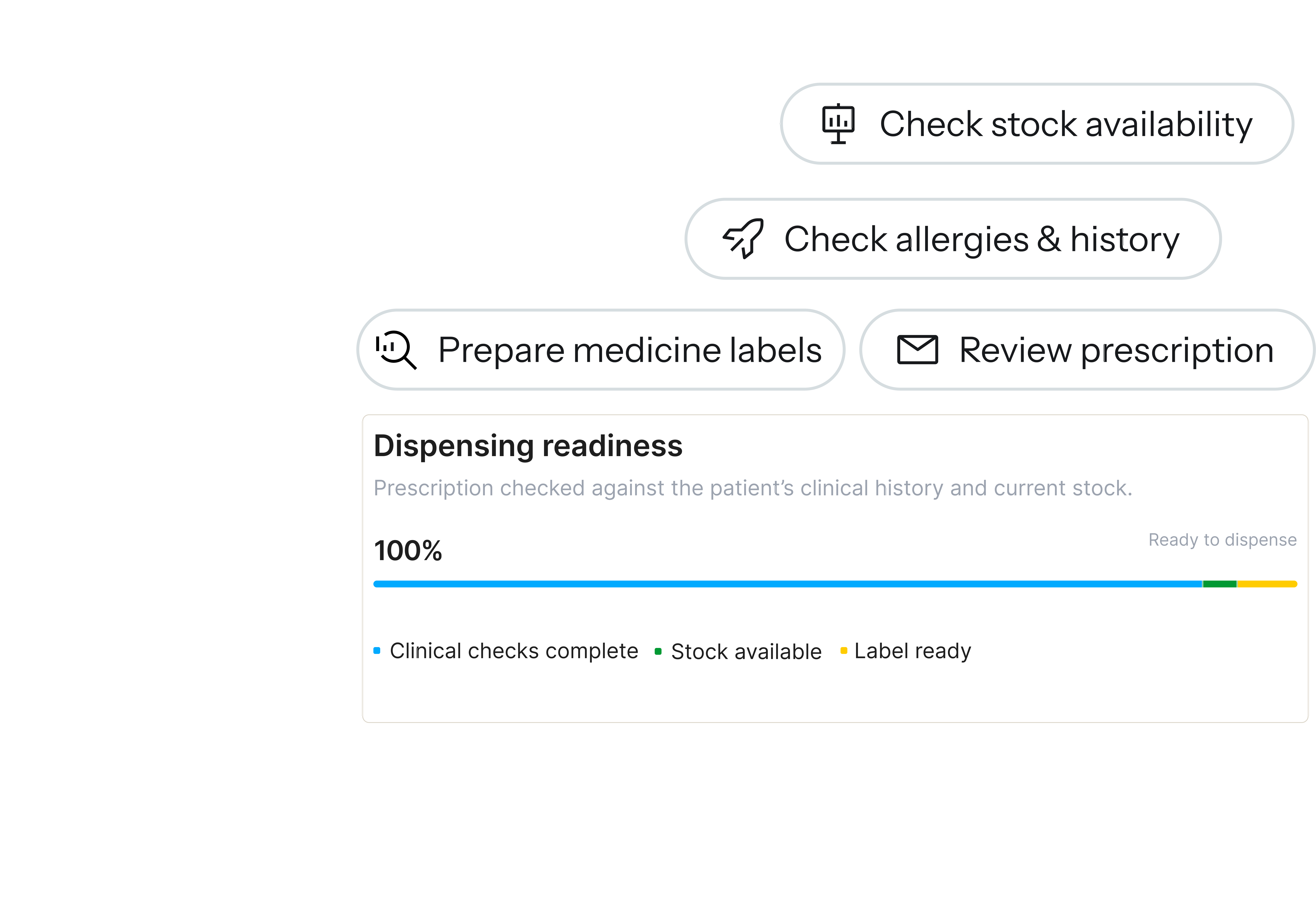
Relify pharmacy dispensing readiness: stock, allergies, labels and prescription checks
One connected dispensing workflow

From e-prescription to safe dispensing, stock movement and replenishment.

The pharmacy stays connected to the clinical record and the inventory behind every medicine, so staff move from review to handover without re-entering anything.

  1. 01E-prescription arrivesThe medication order enters pharmacy directly from the live EMR visit.
  2. 02Review patient contextCheck allergies, chronic conditions and relevant history before handover.
  3. 03Prepare & labelSelect the medicine, quantity, package or batch and print instructions.
  4. 04Dispense safelyComplete the handover, or use enabled routine auto-dispense flows.
  5. 05Stock deducts automaticallyDispensed quantity becomes an inventory movement, no manual entry.
  6. 06Purchase & replenishLow stock, suppliers and goods received stay connected.
E-prescriptions from the EMR

The prescription reaches pharmacy without being re-entered.

Medication orders from the consultation flow straight into the pharmacy queue with the patient and visit attached, so pharmacy can prepare early and move ready prescriptions forward.

  • Structured e-prescriptionsMedicine, strength, dose, route, frequency, duration and quantity stay attached to the visit.
  • Pre-dispense or auto-dispensePrepare medicines while the doctor finishes, with fewer steps for approved routine flows.
  • Labels from the same orderPatient details, instructions and dispensing information printed together.
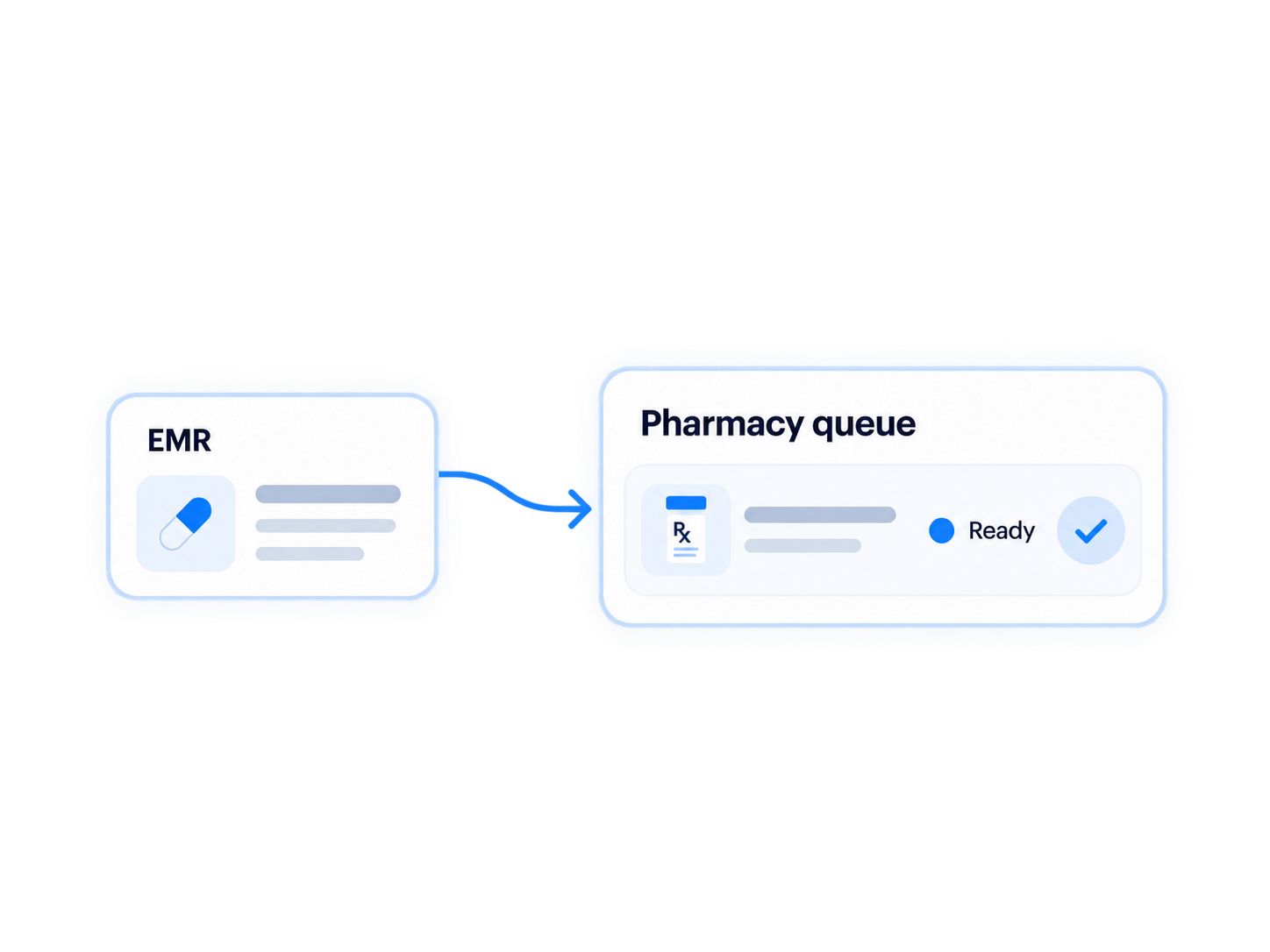
Electronic prescription flowing from the EMR into the Relify pharmacy queue
Clinical history before handover

Review the patient before the medicine leaves the pharmacy.

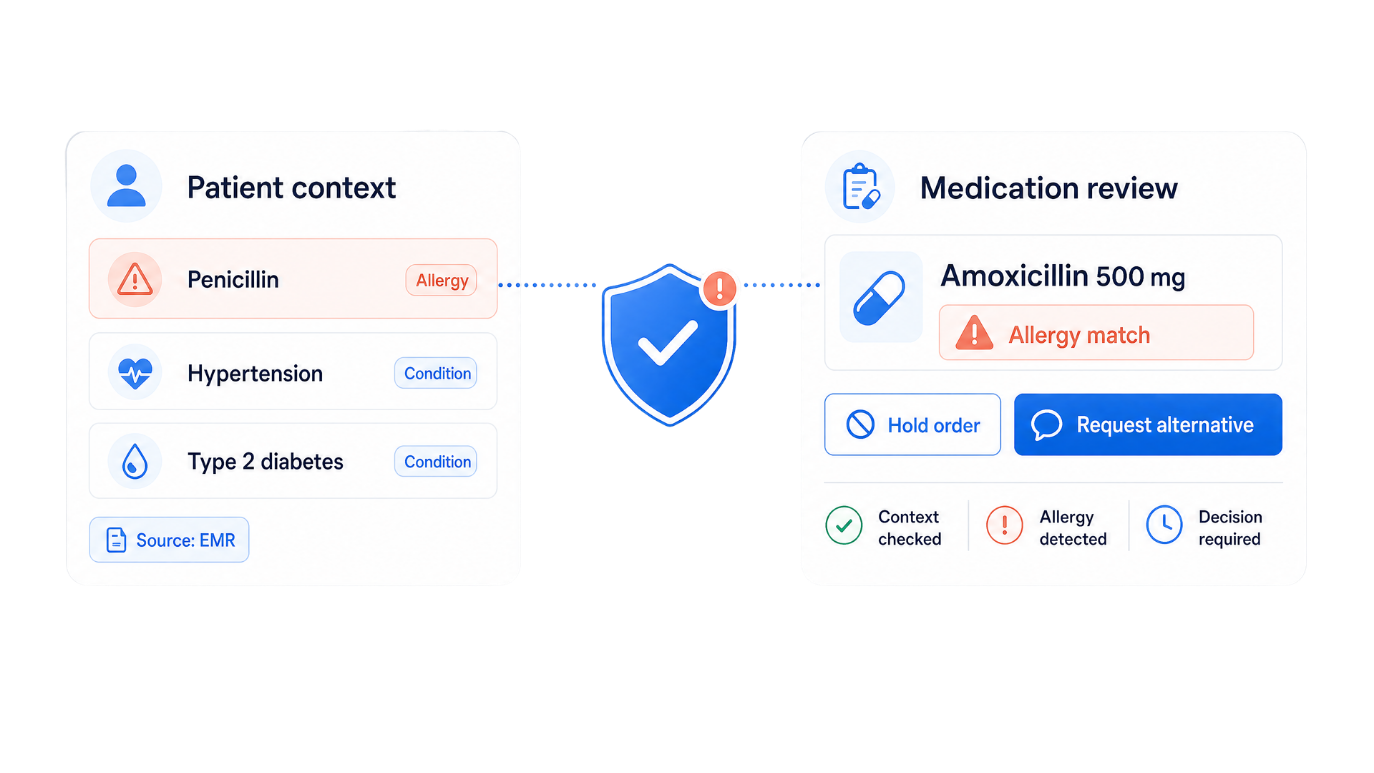
Allergies, chronic conditions and relevant history sit beside the medication order, so the team can review, hold when clarification is needed and contact the prescriber with the visit in view.

  • Allergies and conditions stay visibleReactions, severity and active conditions without leaving the order.
  • The pharmacist stays in controlA review prompt appears; the team decides to hold, clarify or proceed.
Patient context and medication review with an allergy match flagged before dispensing
Counter sale

Handle counter sales without a separate stock workflow.

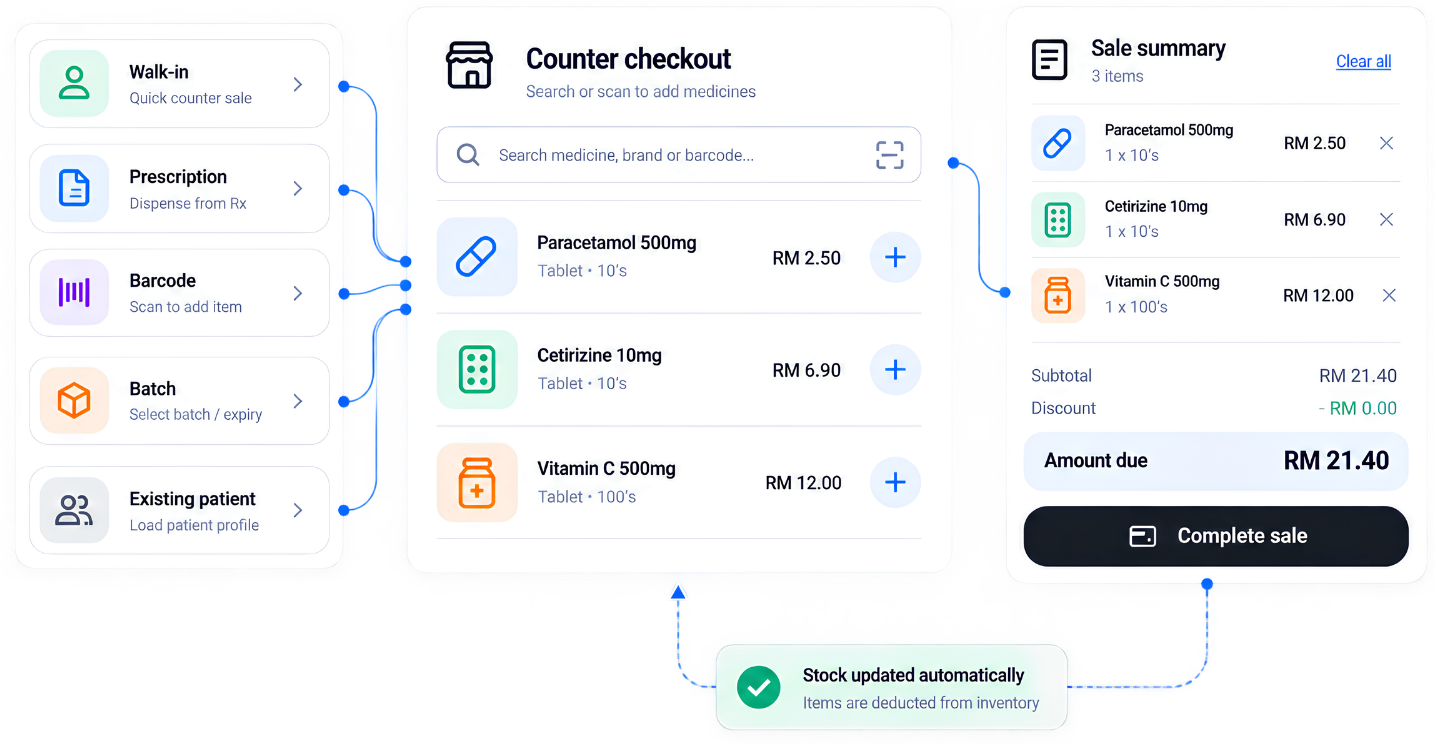
Search medicines, choose the package or batch and complete the sale in one flow. It stays connected to inventory instead of becoming a manual adjustment later.

  • Fast medicine search and cartAdd by medicine, strength or package without opening a consultation.
  • Stock deducts automaticallyEvery sale creates the matching inventory movement and keeps the trail.
Counter checkout: medicine selection, sale summary and automatic stock deduction
Purchasing & replenishment

Know what to buy before the shelf becomes the problem.

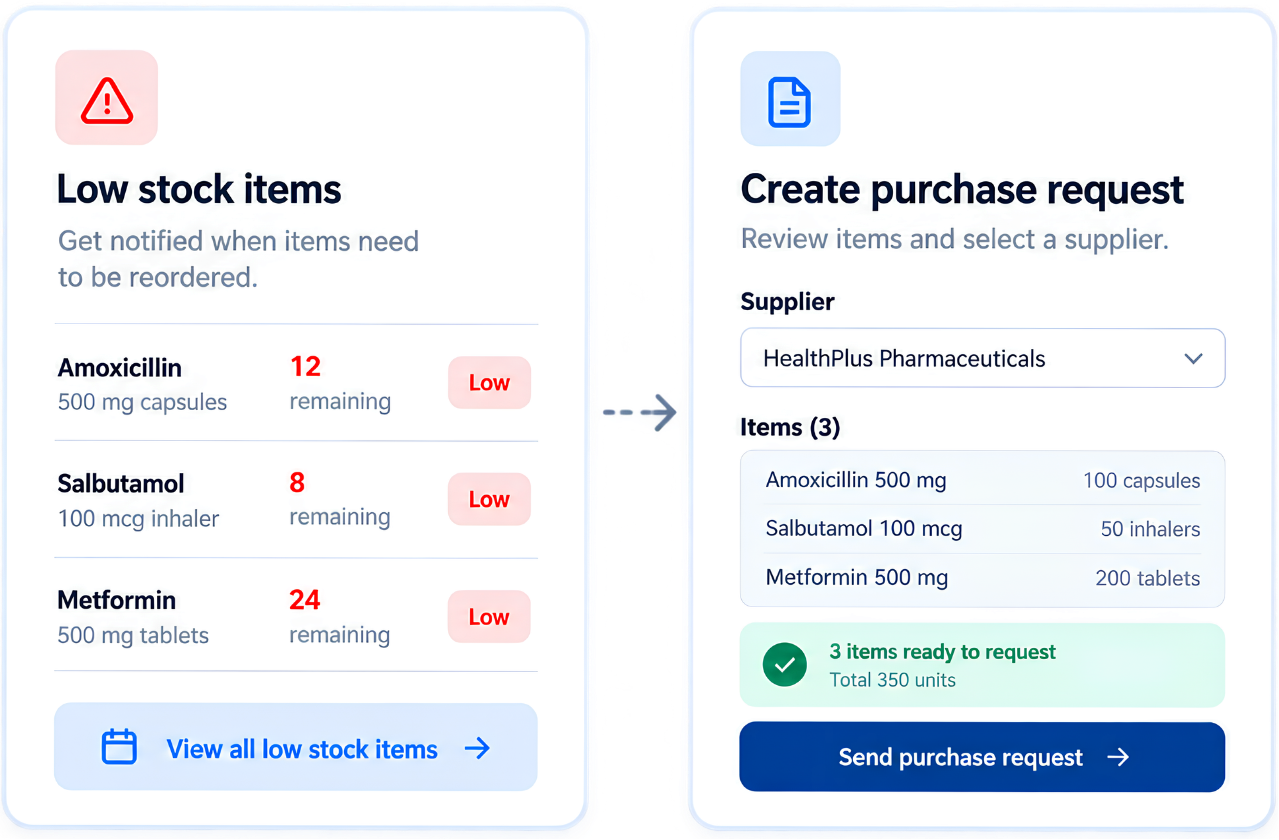
Purchasing stays connected to the stock pharmacy actually dispenses: spot low stock, raise requests and receive medicines back with supplier and stock trail intact.

  • Based on real stock movementDispensing and sales update stock, so decisions use what’s actually there.
  • Suppliers and purchases connectedRequests, orders, suppliers and received stock tied to the medicine.
  • Traceable receivingQuantities, batches, expiry and supplier activity kept for reporting.
Medicine purchasing: low stock items and creating a purchase request
Pharmacy analytics

See how the pharmacy is moving, not just what was dispensed.

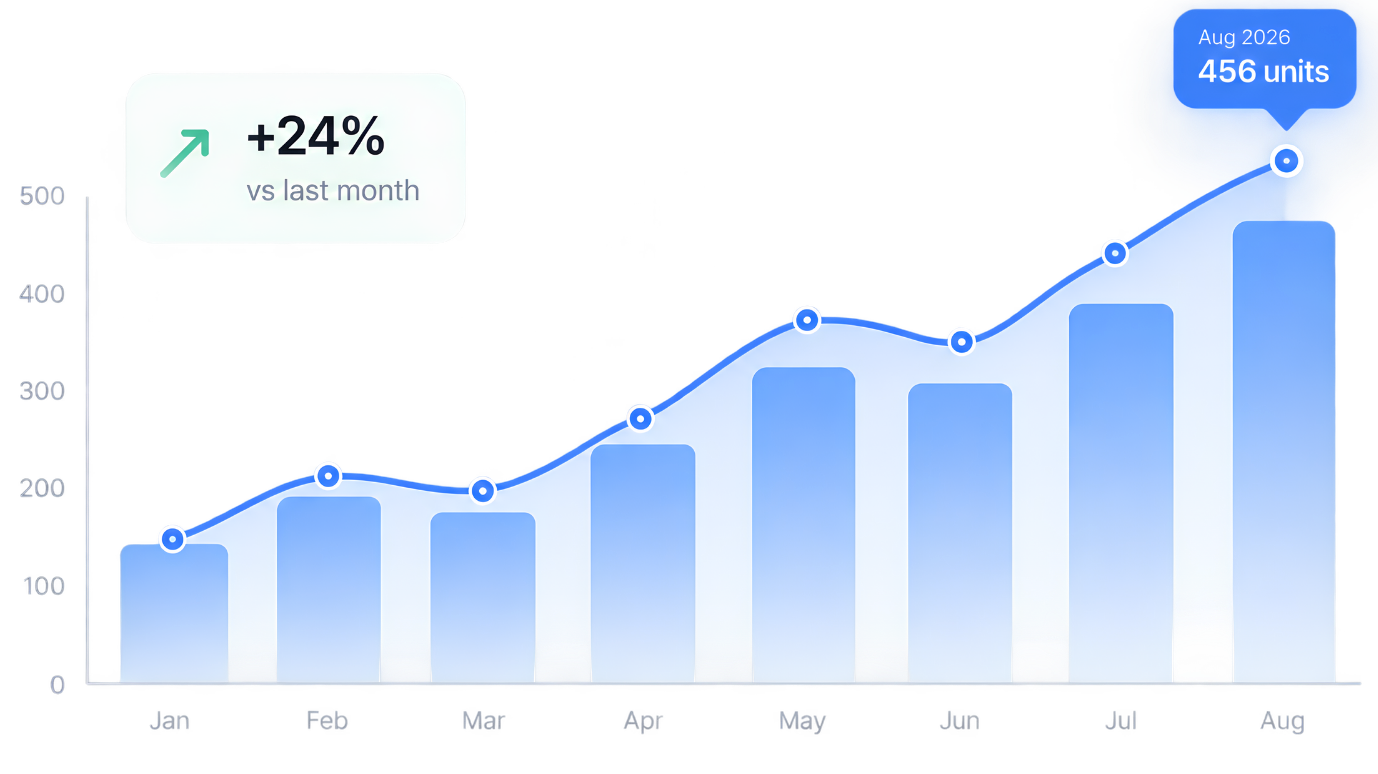
E-prescriptions, pre-dispensed and completed orders, counter sales, turnaround, stock movement and purchasing pressure in one view, with downloadable reports.

  • Measure the workflowDispensing volume and turnaround without manual counts.
  • Find pressure earlyReview flags, stock issues and order mix before they become bottlenecks.
  • Download pharmacy reportsActivity and stock-movement reports for review and record keeping.
Pharmacy performance graph with an upward trend
E-prescribedMedication orders flow directly from the EMR.
Context-awareAllergies, conditions and history stay visible.
Auto-deductedDispensing and sales update stock automatically.
Purchase-linkedReplenishment and suppliers connected to inventory.
Questions & answers

Your pharmacy questions, answered.

Still have a question? Talk to our team.

How do e-prescriptions reach the pharmacy?

Medication orders created in the EMR flow directly into the pharmacy queue with the patient and consultation attached. Medicine, strength, dose, route, frequency, duration and quantity stay connected to the originating visit, reducing duplicate entry.

What can the team review before dispensing?

The prescription alongside recorded allergies, chronic conditions and relevant patient history. When clarification is needed, staff can hold the order and contact the prescriber with the visit context still available.

Does dispensing deduct medicine stock automatically?

Yes. Completed dispensing creates the inventory movement for the quantity dispensed, without another manual entry. Completed counter sales also update stock automatically.

Can I prepare medicines early and print labels?

Yes. Pre-dispensing preparation and enabled routine auto-dispense workflows are supported where appropriate. Labels print from the same order, keeping patient details, instructions and dispensing information together.

Can I sell medicines at the counter?

Yes. Search medicines, select the package or batch and complete a counter sale without creating a consultation. The sale stays linked to inventory and its transaction history.

Can I download pharmacy reports?

Yes. Reports bring together e-prescriptions, dispensing activity, counter sales, turnaround time and stock movement for review and record keeping.

How does purchasing connect to medicine inventory?

Review stock and movement, identify low-stock medicines and manage purchasing. Suppliers, purchase requests, purchase orders and received stock stay connected to the inventory they replenish.

Where can I compare plans or arrange a demo?

Compare feature inclusions on the pricing page, or contact us to arrange a demo of the prescription, dispensing and inventory workflow.

Run your whole clinic on Relify.

One month free. No credit card required. Free migration help.